
IMPORTANT
Avoid sharing of personal information (PI) via email, or in tickets. Use the Bitwarden 'send' feature or Dropbox to securely share PI.
- What result does the App show when the ID is scanned? See below for possible outcomes.
- Is the ID type an approved ID type?
A list of approved forms of identification can be found on the Department of Local Government, Industry Regulation and Safety (LGIRS) website. - New ID type or newer version of an existing ID type
Collect samples of the scans and raise it with the ML team for investigation.- Raise a Trello ticket in Backlog using the template. Provide transaction IDs for the devs to obtain the images
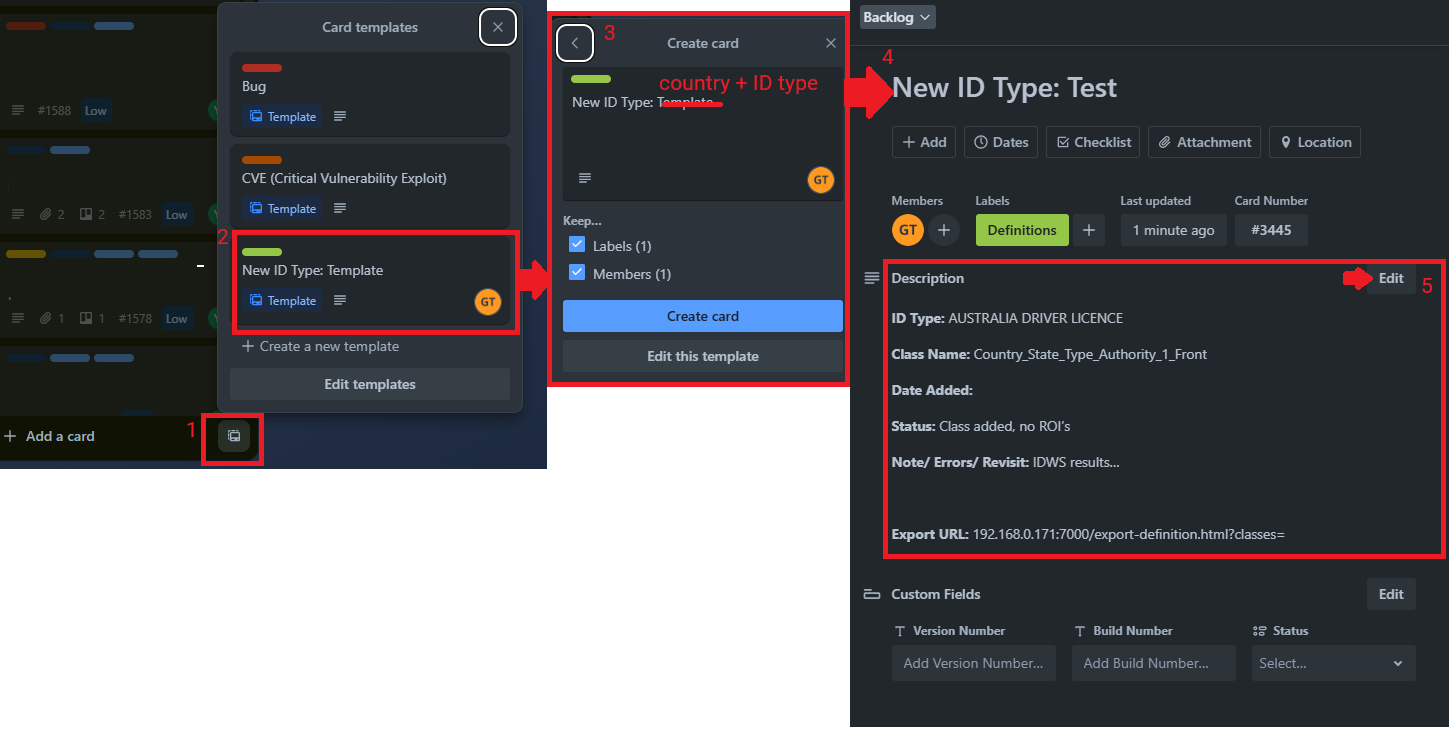
- Raise a Trello ticket in Backlog using the template. Provide transaction IDs for the devs to obtain the images
üëâAdvise the Licensee to use the 'Edit' option to manually enter the ID information.
What does the Licensee see
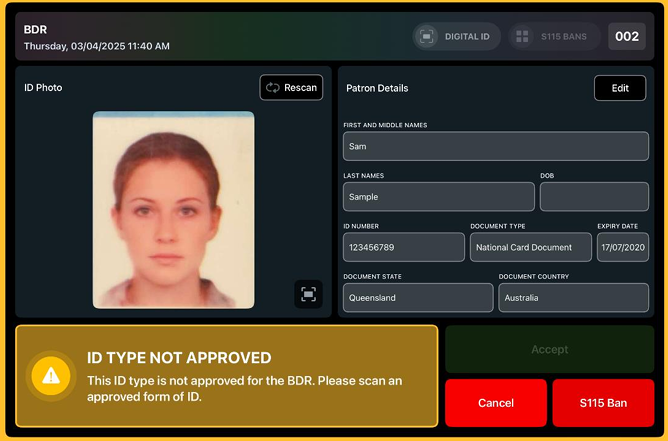
- If an ID is not an approved form of documentation
üëâ Scan an approved form of ID, or the customer is to be refused service.
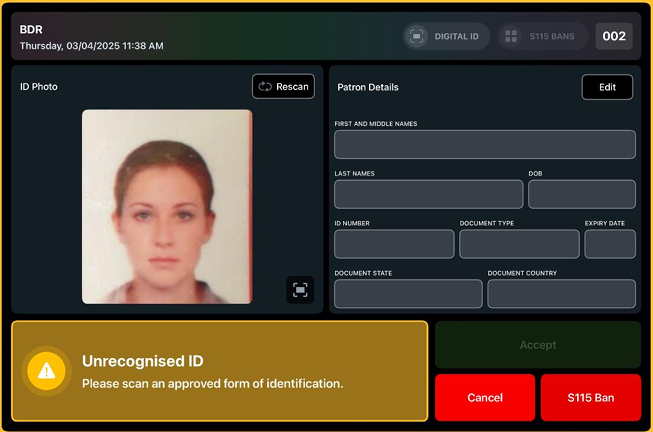
- If an ID can't be classed, it will display an 'Unrecognised ID' result
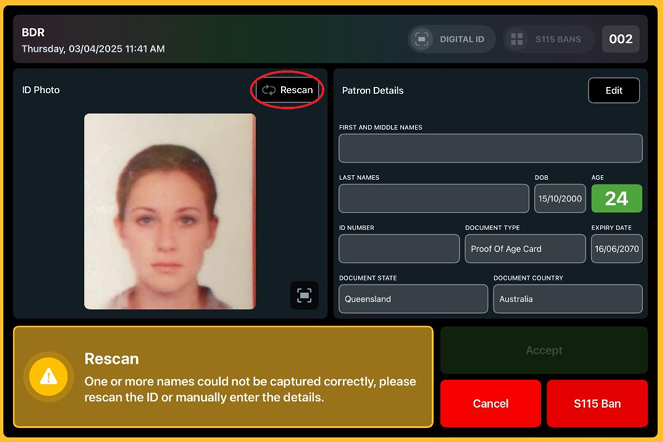
- If an ID is partially read, it will display a 'Rescan' scan result. The result will specify which information was not captured (refer to the user manuals)
üëâ Advise the Licensee to use the 'Rescan' button or manually enter the ID information
IMPORTANT
Licensees can request approval for additional types of identification via email to LGIRS directly at bdr@lgirs.wa.gov.au. Snippet: #bdr_approved_IDs
RELEVANT ARTICLES