
You will need:
- A stand
- A hex key
- A flat surface
- An iPad
 |
|
|
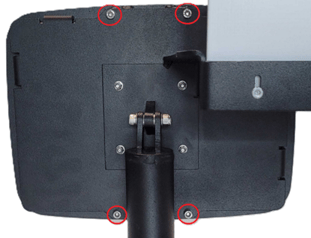
1. Place the stand on a stable surface and undo the four screws on the back. 2. Carefully remove the faceplate cover and set it aside. |
|
|
|
|
|
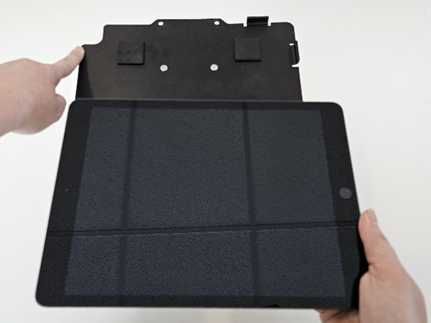
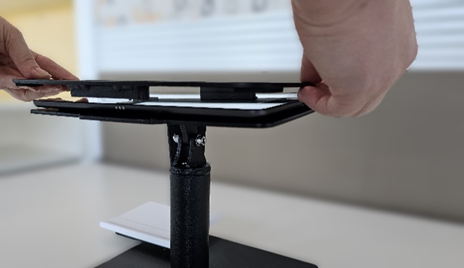
3. Tilt the faceplate angle so that it is parallel to the stand base. 4. Place the iPad onto the stand – make sure the camera aligns! |
|
|
|
|
|
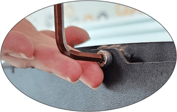
5. Reinsert the four screws and tighten them with the hex key. |
|
|
|
|
|
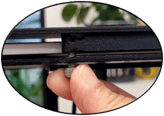
6. Carefully, place the faceplate cover over the iPad and align the screw ports. Gently, tighten each screw until the face plate is flush. |

ATTENTION
Tighten the screw just until it is snug. Overtightening can cause damage to the screen.
  |
|
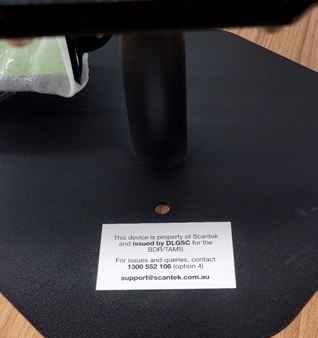
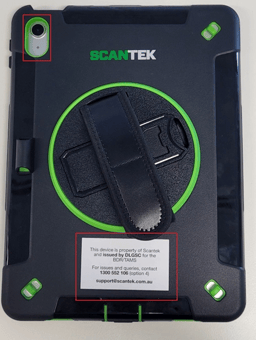
Stand - Affix the sticker at the front of the stand base where it can be seen when using the iPad. iPad Case - Affix the sticker on the back of the case, atop the ‘Scantek’ logo at the bottom, opposite from the camera lens. |