
You will need:
Bitwarden desktop application.
A file to send.
!!IMPORTANT!!
DO NOT send the link and the password in the same email.
It defeats the purpose of this entire action, the password must be sent seperately with no context (your initial email should explain this)
Step 1:
Open your bitwarden desktop app: 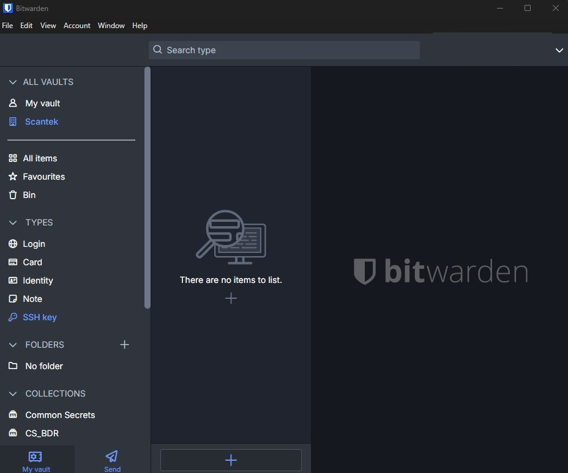
Step 2:
Click on "Send" followed by the "+" button on the right. 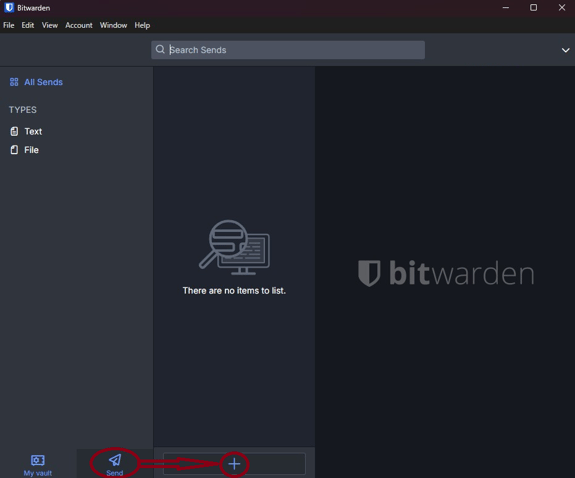
Step 3:
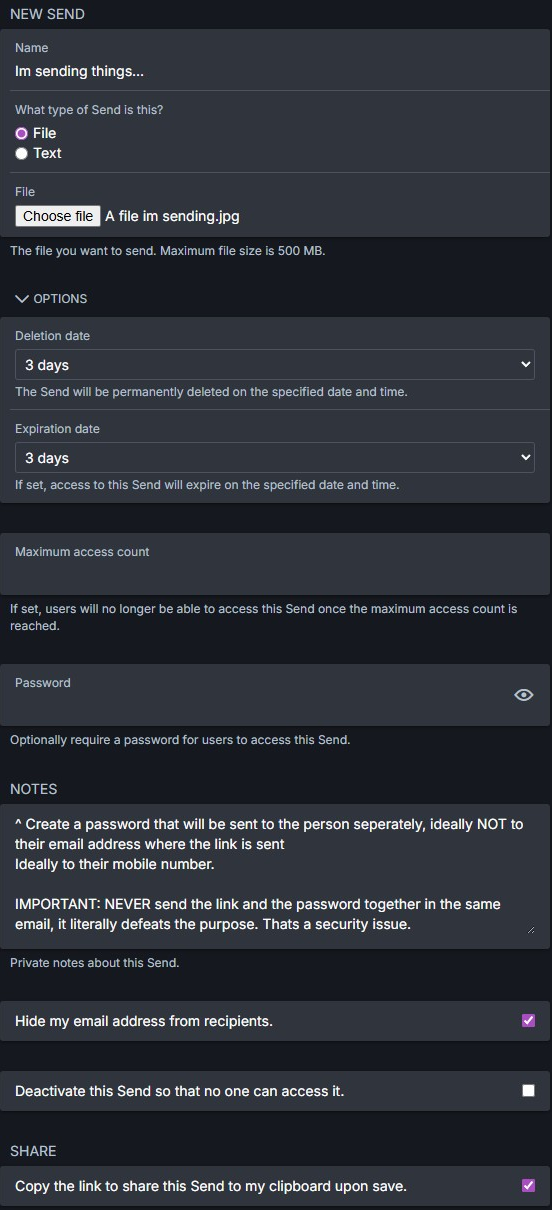
Configure your bitwarden send link (below example)
Fill in the following parts:
Name: What are you sending? e.g. WA POLICE data query.
What type of send: click file if its a file and text if its just text.
If its a file, click file, followed by "Choose file"
Select the file you wish to send (what ever you name your file, will display)
Options:
This portion is subjective, meaning it can be anything.
Generally speaking 1 day is sufficient, however 3 days gives people more room
Deletion date: 3 days(max)<-if more days are required, please speak to team lead
Expiration date: Must match the deletion date (bitwarden will throw an error otherwise)
Maximum access count isnt necessary, but feel free to match the count to the days
Password: Set a password, that will be sent to the user to unlock the link.
(tips for success: Save that password as a comment under your notes, so you dont forget, be sure to remove it once the user has it)
Hide my email: Tick this box
Copy the link to share....: Tick this box
IMPORTANT STEP THAT CANNOT BE MISSED -> See step 4.
Step 4:
Click the "save" Button, if you dont save it, it wont work. 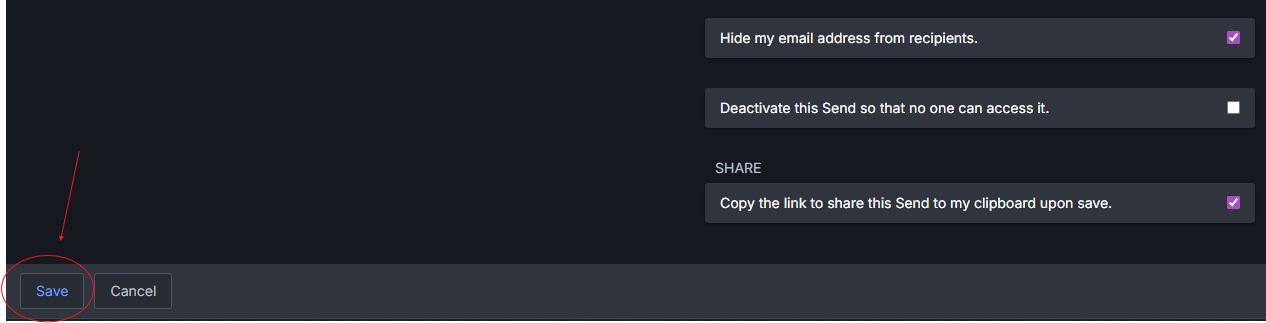
TADA! You've now created a bitwarden send link thats password protected!
Reminder: DO NOT send the link AND the password in the same email.
You will now be able to paste this link into an email
If you need a hand with writing the email, please check the snippets for "#bitwarden_send"
NOTE: Active send links will remain in your bitwarden, no one else can this, only you can.
Please ensure you set a task for yourself to ensure the link is gone from bitwarden send after the expiration date you set.
Happy sending! This should be documented in your ticket notes, that is non negotiable.