
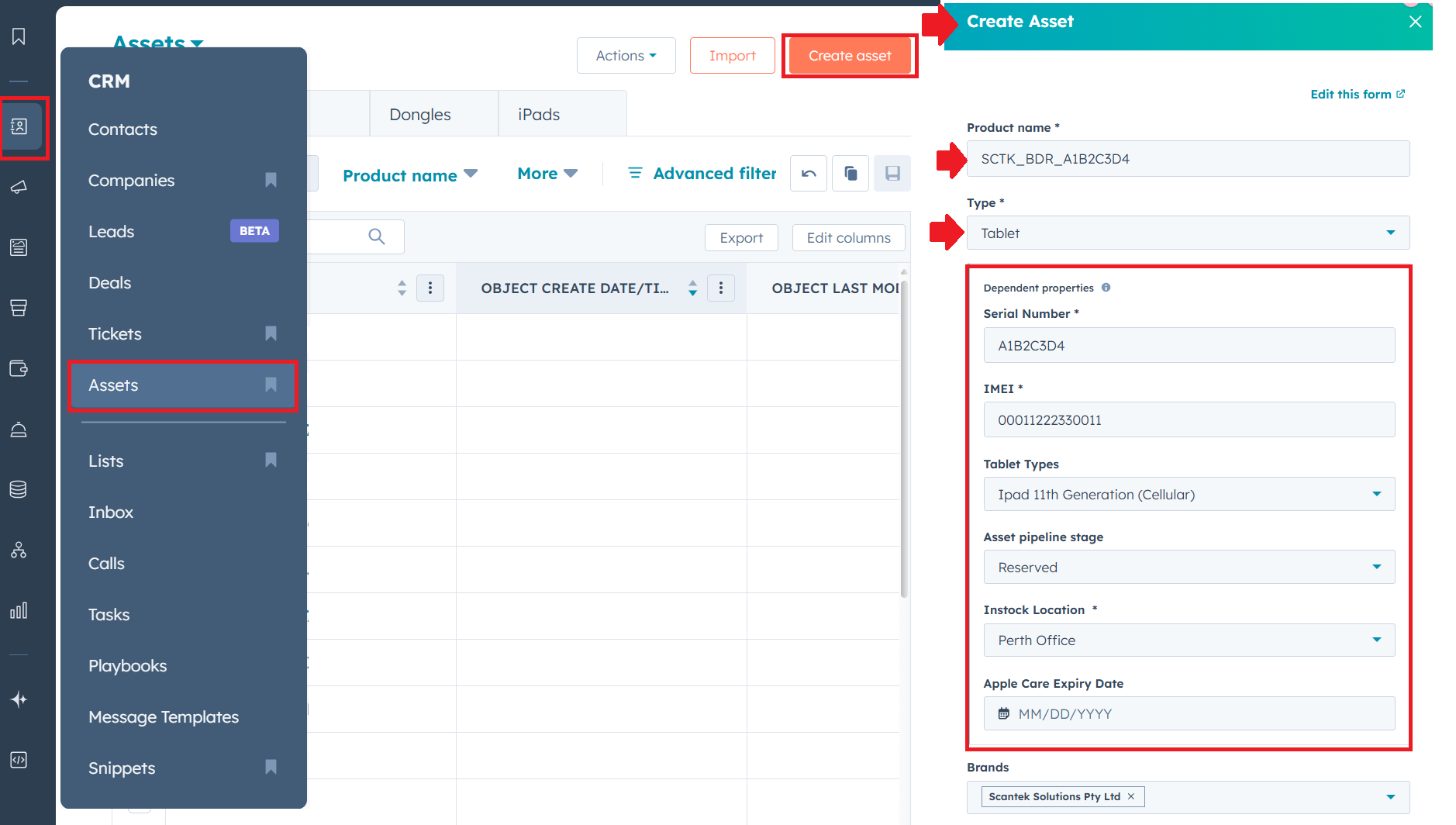
- Login to HubSpot
- Go to Assets
- Select 'Create Asset' and fill in the form
- Product Name: E.g., SCTK_BDR_serialNumber or Stand
- Type:
- Mount
- Power Pack
- Tablet (iPad)
- Serial Number: tablet Settings > About
- IMEI: tablet Settings > About
- Tablet Types: iPad generation
- Asset Pipeline Stage: select
- Instock Location: leave empty if it's being installed
- Apple Care Expiry Date: leave empty
- Brands: Scantek Solutions Pty Ltd
- Click 'Create Asset' to add the device
Can't find what you're looking for? Ask your team lead.