
iOS 26.3 has introduced a new(ish) feature called "Multitasking & Gestures", which is enabled by default on iPads that are gen 10+.
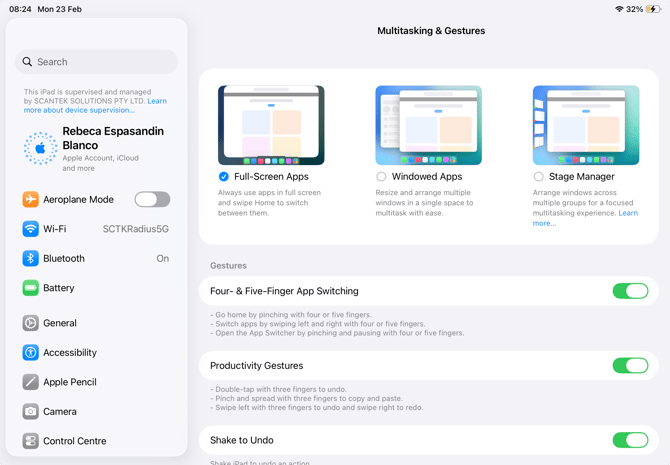
Apple now allows users to resize and use multiple Applications at the same time. If a Venue wants this setting disabled, use this guide.
What To Do
This setting cannot be disabled via a JAMF. Instead, direct the users to:
-
Open Settings
-
Multitasking & Gestures
-
Select "Full Screen Apps".
- Disable all the "Gestures" options