
What does the Portal user see?
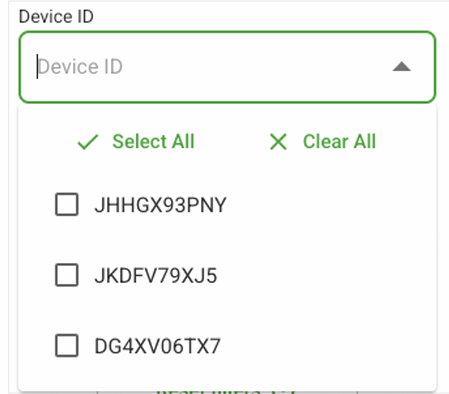
With the new device ID filter, venues may occasionally see the following error:

Why is this happening?
This happens when the Company SID doesn’t align with what’s assigned in HubSpot. (It does not impact Portal functionality).
Who does it impact?
VE, OLGR and BDR Portal users.
How to Fix
- Confirm the Venue’s SID. You can do these one of two ways:
- OPTION 1: Assume into the Venue account and clicking on the menu bar on
the top right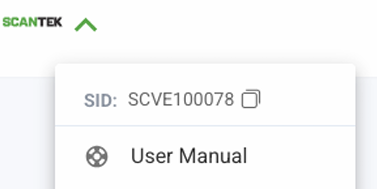
- OPTION 2: Find it in the Venue’s account settings (Admin Portal > your credentials > Role: Customer Support)
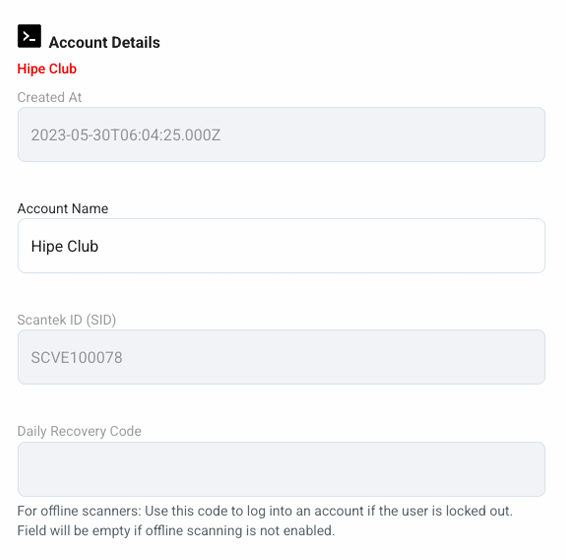
- OPTION 1: Assume into the Venue account and clicking on the menu bar on
- Find the venue in HubSpot once you have confirmed the venue's SID.
- Ensure the iPad is correctly associated to the venue:
- Locate the Asset
- Check if the associated Company is correct.

- Ensure the iPad is correctly associated to the venue:
- In the Portal, the user should now be able to see and filter by their iPad's serial number(s).
Other Helpful Articles