
Recommended lighting setup for best results
Stick-on light position:
Position the light directly below the camera, about 2 thirds of the way down, as per the image.
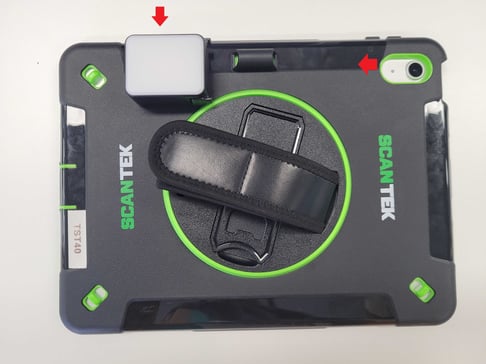
Ring light position:
- Clip to the top of the iPad and in the centre (not directly above the camera)
Battery/charger cable:
- Plug lights into the mains to avoid battery life issues
- If you can't use mains power, and must use power from the iPad then expect the following:
- 2.5 hrs if on highest brightness
- 8 hrs if on lowest brightness (may not be sufficient for good scans)
Troubleshooting advice:
Scenario 1: Patron picture is backlit (e.g. street lighting behind them)
- Reposition your VE scanning to get more light onto the patron's face
- Adjust the brightness of your Scantek-supplied ring light
- Add more lighting to your scanning floor area e.g. floor standing lamp or additional ring light
Scenario 2: IDs aren't being read due to too much glare or light
- Make sure your Scantek supplied ring light is clipped on correctly [insert pics to show]
- Adjust the brightness of your Scantek-supplied ring light to a lower setting
- Adjust your surrounding lighting
- Reposition your VE scanner to reduce light exposure